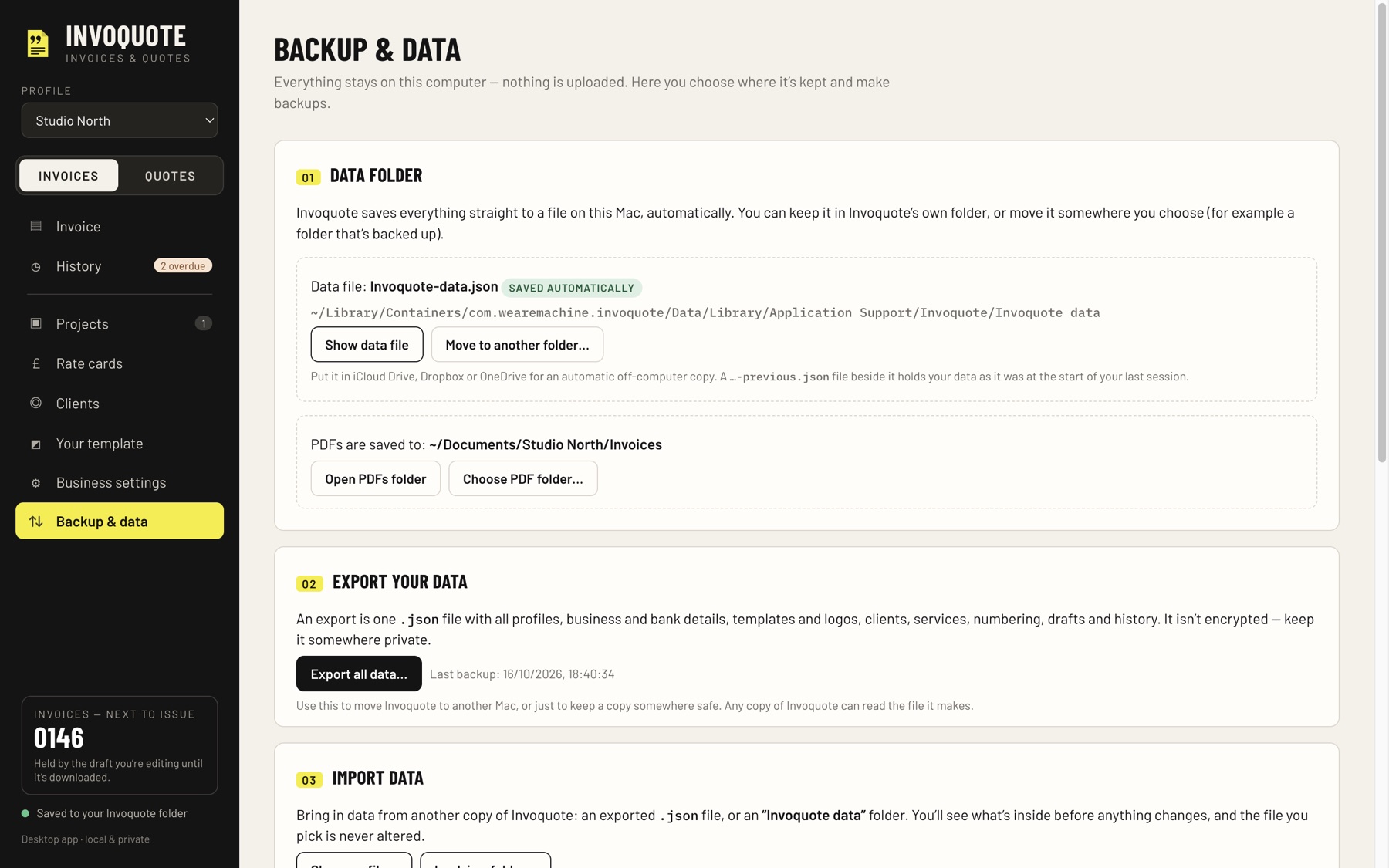
01 / QUOTE
Price the job.
Group the work into sections, list optional extras that stay out of the total, and add an automatic deposit. Mark a quote accepted and turn it into an invoice.
 INVOQUOTE
INVOICES / QUOTES / MAC
For freelancers and small studios, made on your Mac. Fill in the job, see the exact A4 PDF update as you type, then save it and send it.
Everything stays on your Mac. No account. No subscription. No cloud.
01 / QUOTE
Group the work into sections, list optional extras that stay out of the total, and add an automatic deposit. Mark a quote accepted and turn it into an invoice.
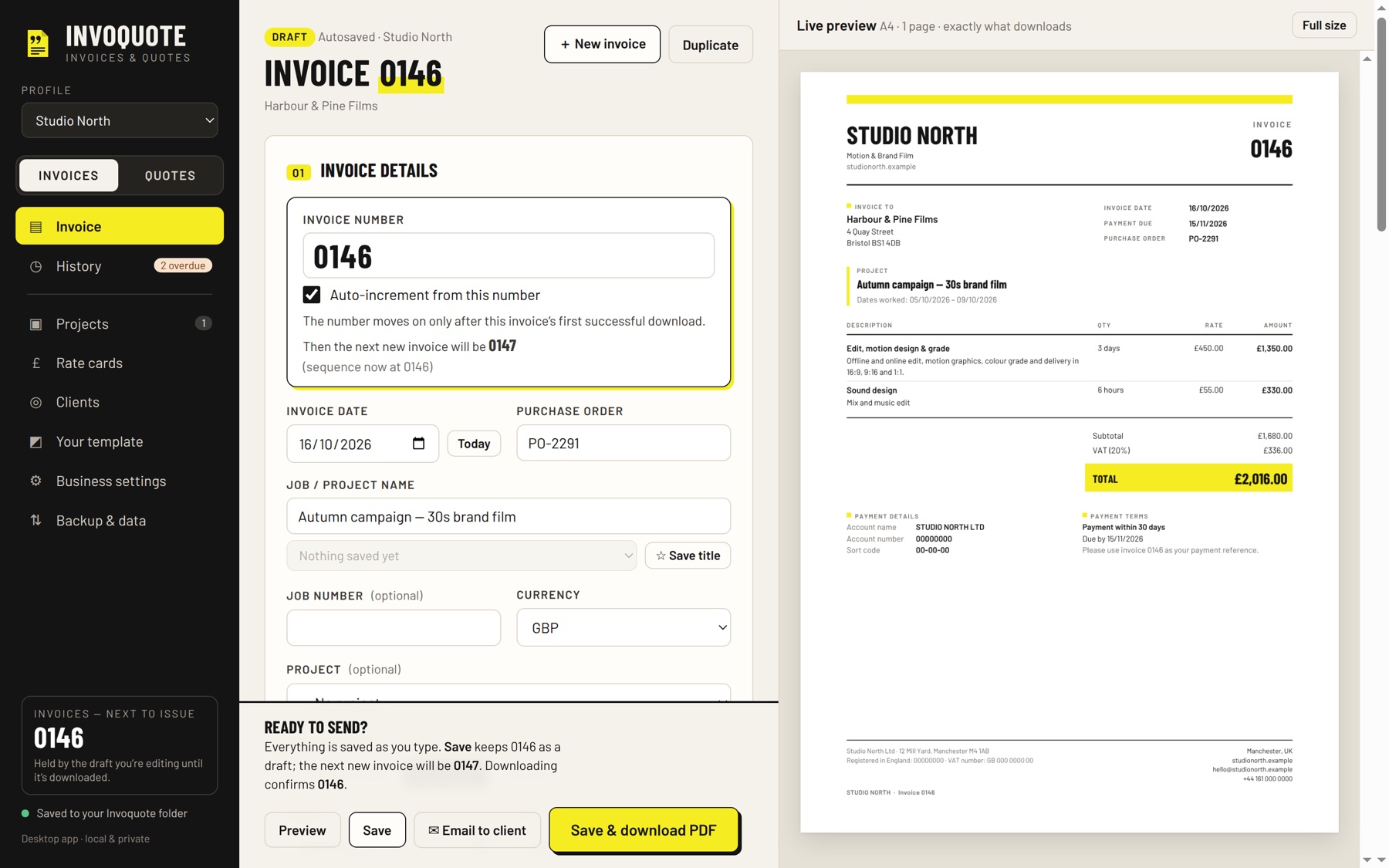
02 / INVOICE
Days, hours, flat fees and expenses, with VAT on or off. The live A4 preview is exactly what downloads, and a number is only used when an invoice is first downloaded.
03 / GET PAID
Email the PDF from your own email app, then mark it paid. Unpaid and overdue invoices are flagged, and History shows what is still owed.
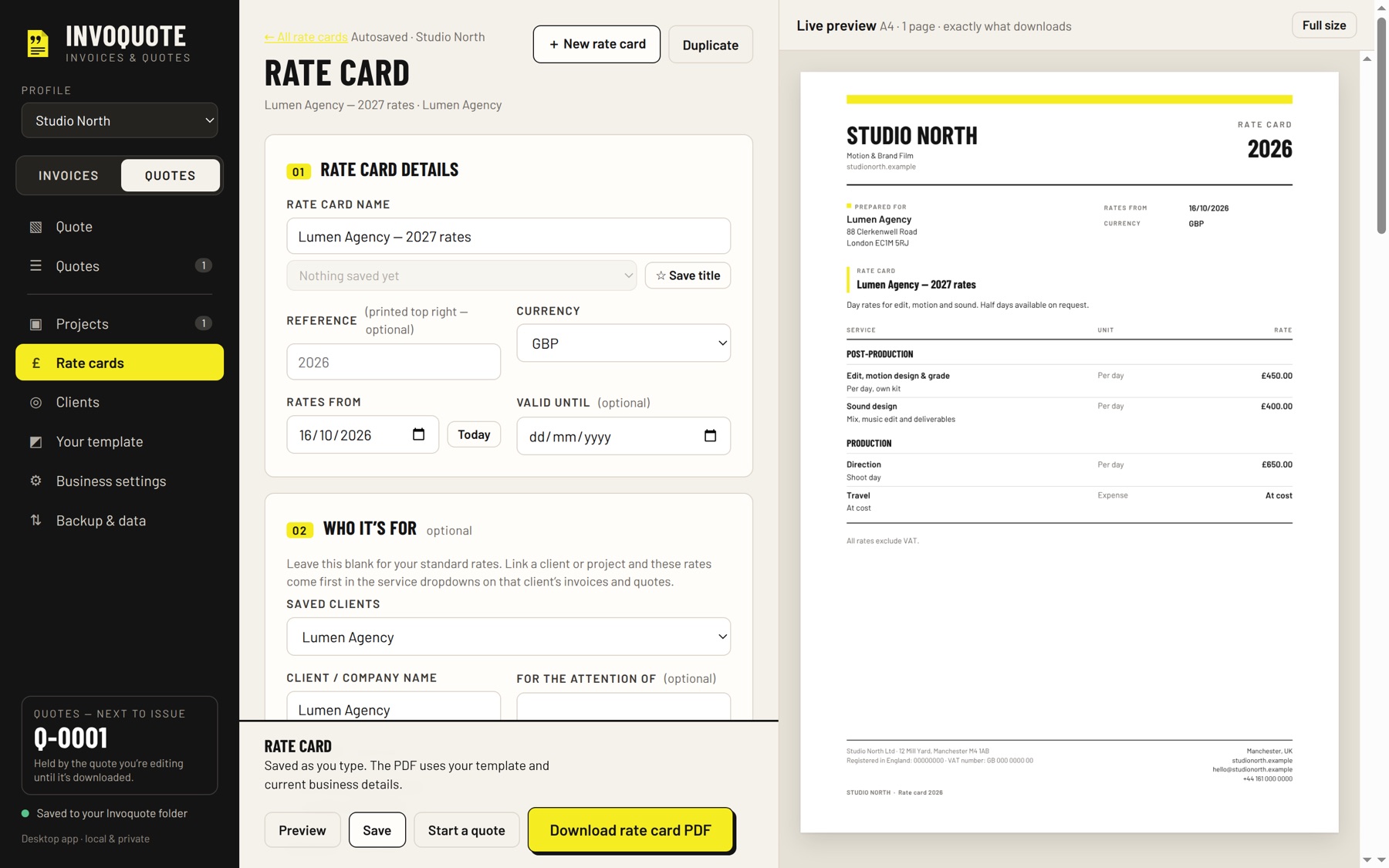
A clear editor on one side, the exact A4 page on the other. Every PDF matches your template.
INVOICES
What you see as you type is exactly the PDF that downloads.
The number only moves on when an invoice is first downloaded. Opening, previewing, saving drafts and editing never use one up. Re-downloading or correcting an invoice keeps its number.
For example 0001, 0158 or INV-2026-01. Auto-increment can be on or off, and duplicate numbers are flagged before anything goes out.
Days, hours, flat fees and expenses, with fractional quantities. Dates worked as single days, a range or your own wording.
VAT on or off at any rate, including 0%. Choose the currency. Purchase order, job name and optional job number.
From your payment terms, for example 30 days, or immediate payment.
Saved clients, services, titles and lines, ready for the next job.
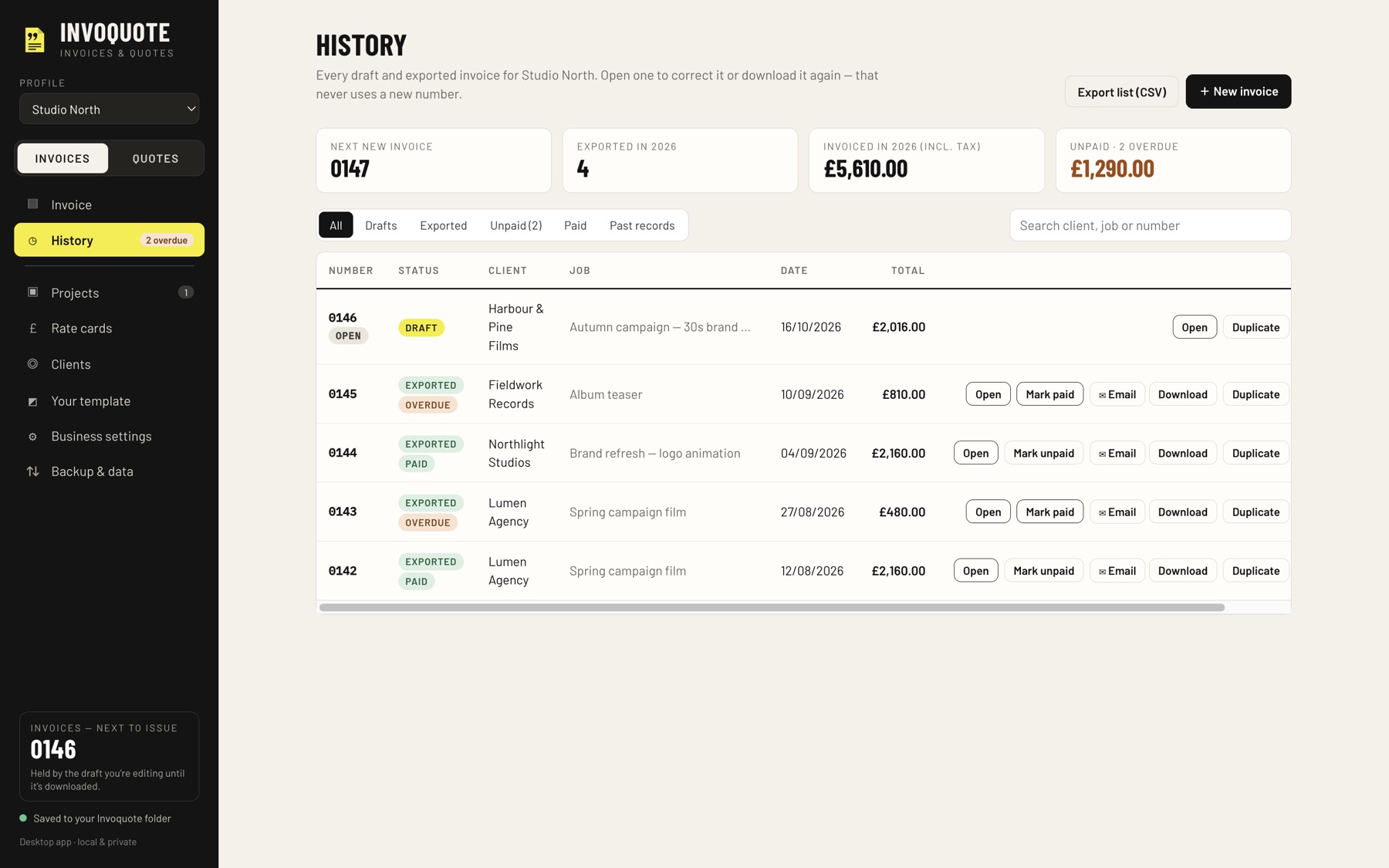
Every draft and sent invoice. Reopen, download again, duplicate or export the list as CSV. Mark invoices paid with a date and see what is unpaid or overdue.
QUOTES, RATE CARDS AND PROJECTS
Separate quote numbering, sections with subtotals, optional extras, an automatic deposit, a valid-until date and reusable boxes for terms, scope and notes.
Mark a quote accepted, then turn it into an invoice.
Sections of services, each with a unit and a rate, downloaded as a PDF in your template. Link one to a client and their rates come first on their invoices and quotes. Start a quote straight from a rate card.
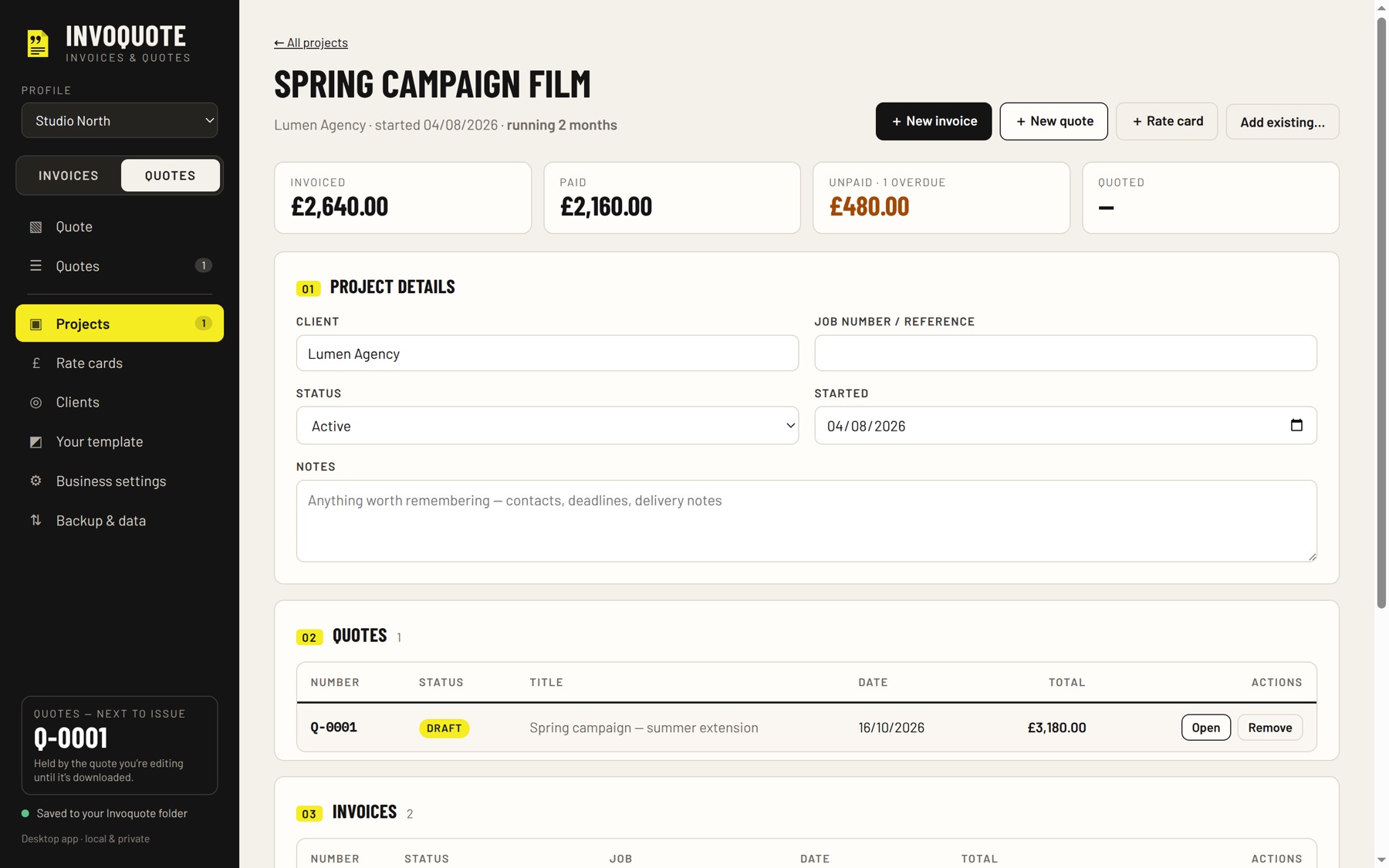
Keep the quotes, invoices and rate cards for one job together, with the client, start date, how long it has been running, and the totals invoiced, paid and unpaid. Deleting a project never deletes its documents.
EMAIL, LOOK AND DATA
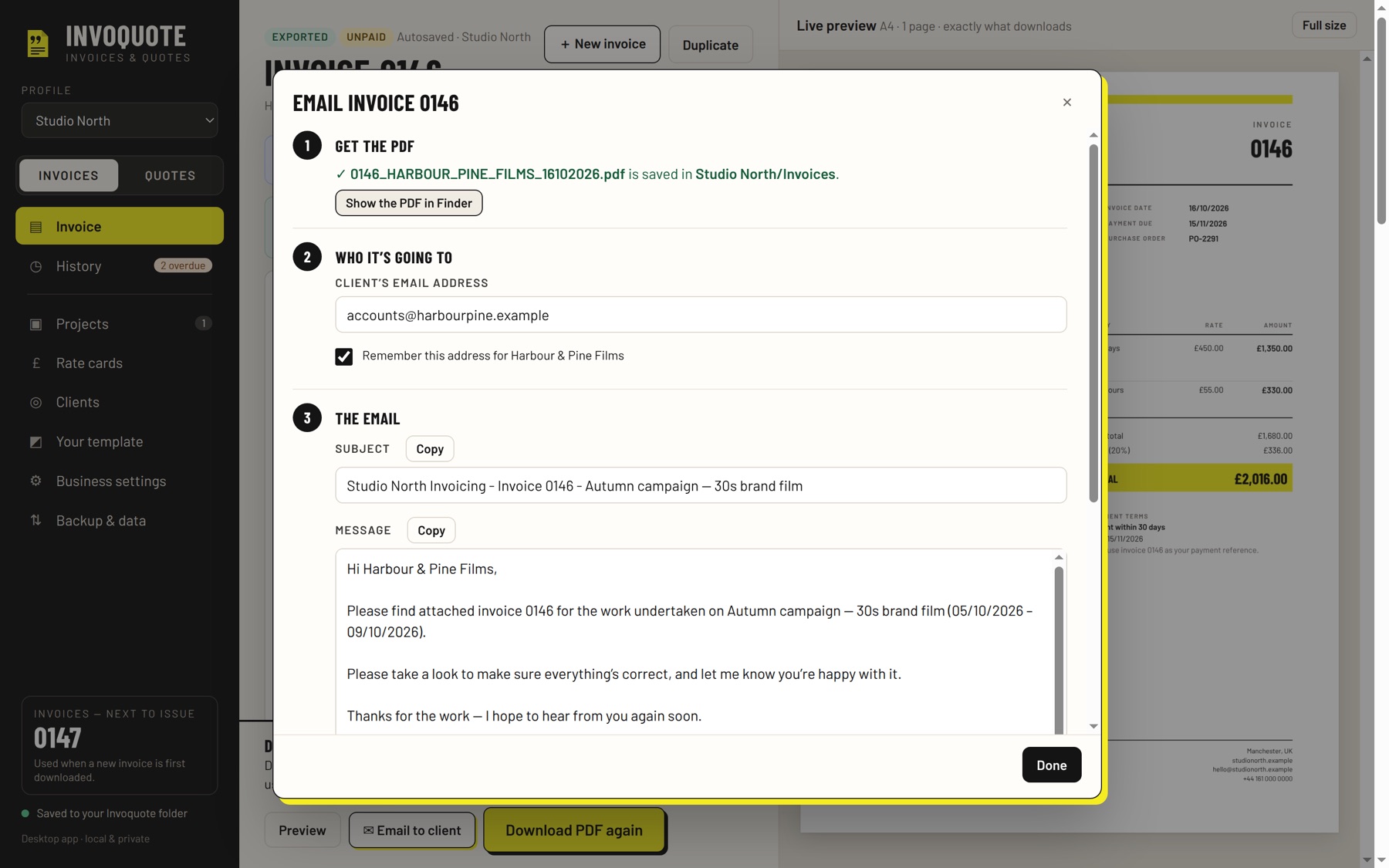
A friendly email is drafted for you, with your subject line and sign-off. Open it in Apple Mail, Gmail or Outlook, or copy and paste it anywhere. Invoquote never sends anything itself.
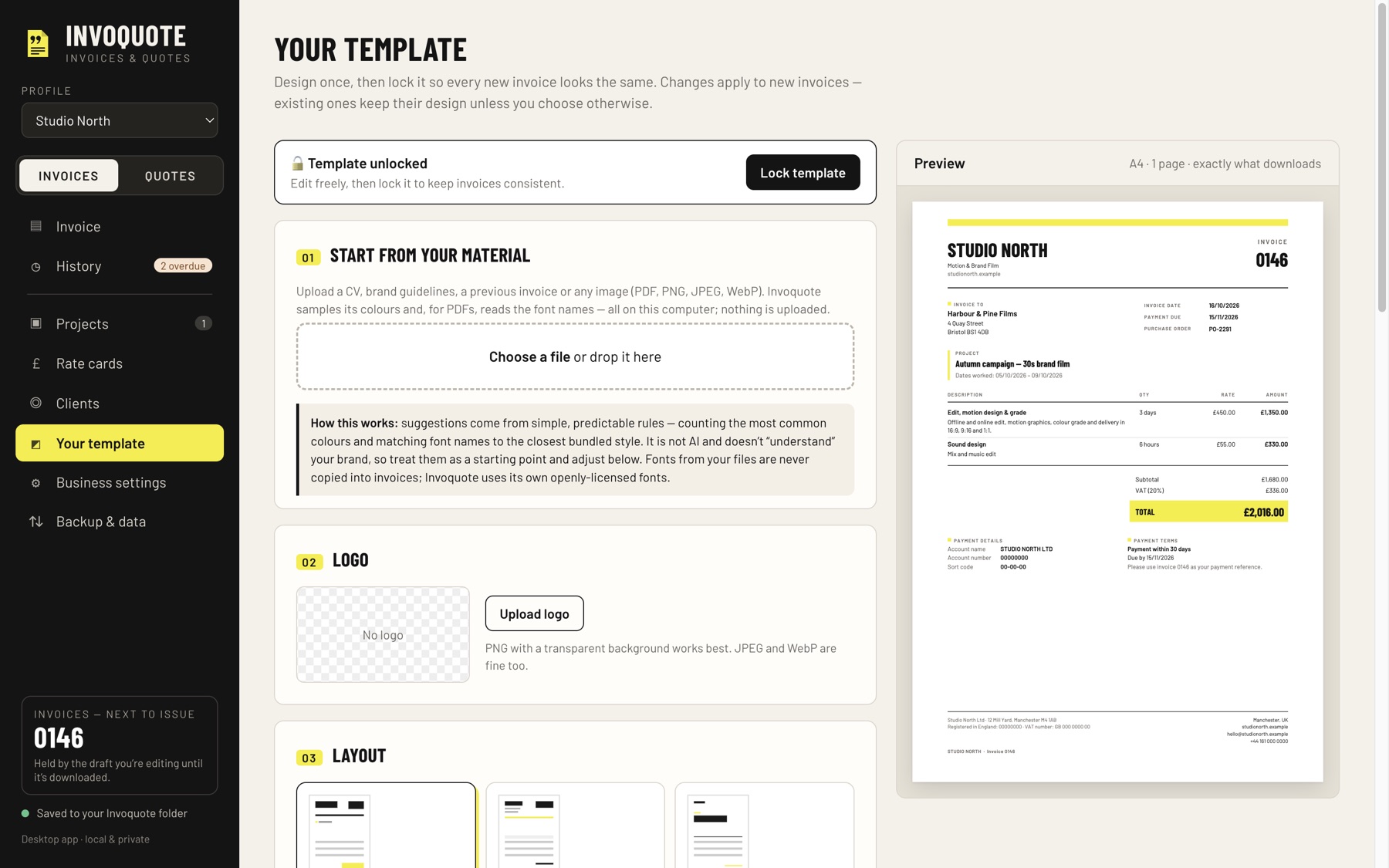
Choose a layout, fonts and colours, add your logo and accent shapes, and lock the template to stop accidental changes. It can suggest colours from a reference image or PDF, analysed on your Mac.
Separate businesses or workspaces, each with its own details, template, clients and numbering.
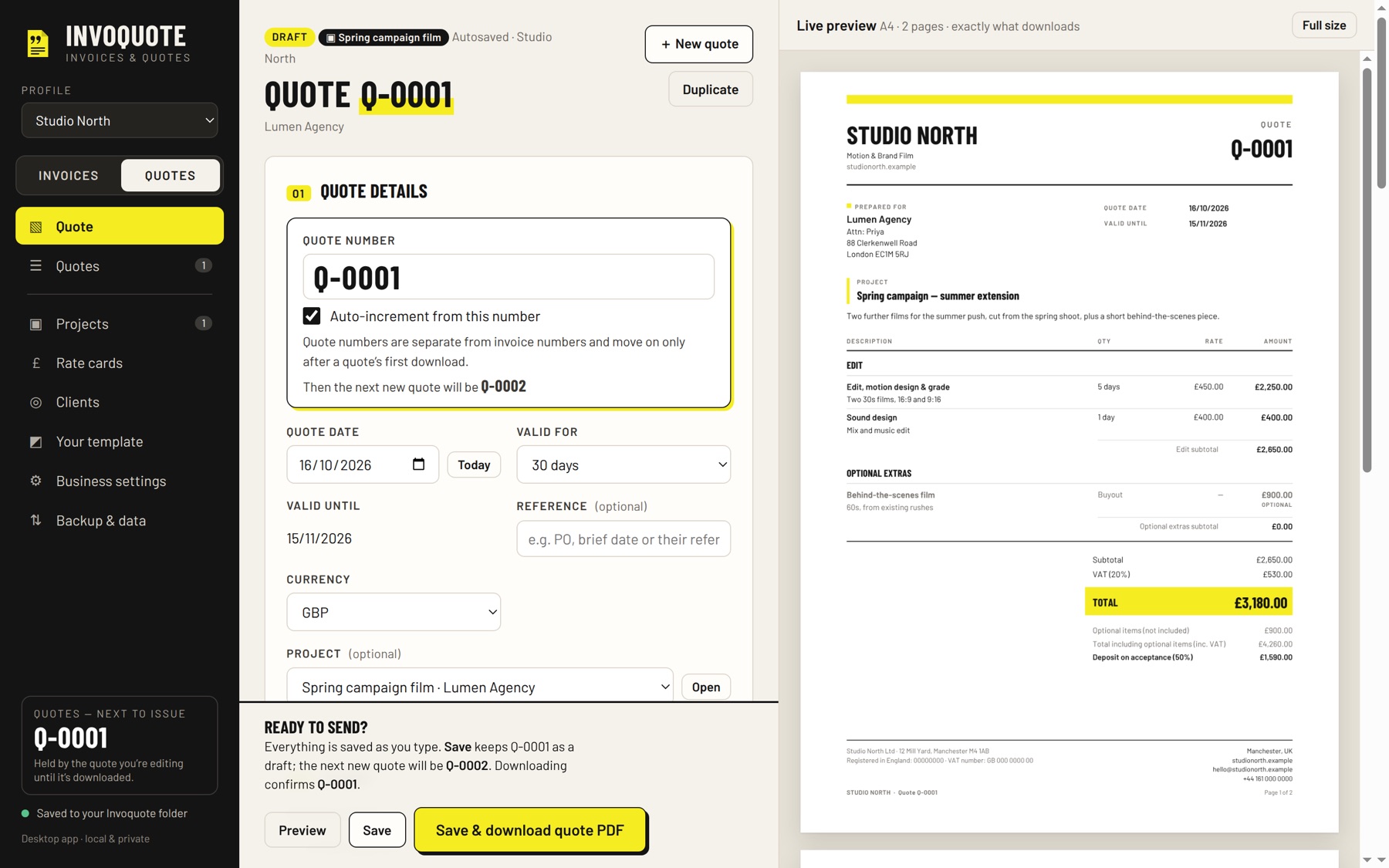
Saved automatically as one file on your Mac, in Invoquote’s own folder or one you choose. Export everything to a single file to back up or move to another Mac.
Use your Mac’s own dictation in any text box. Invoquote does not use the microphone itself.
No account, subscription, advertising or analytics. Invoquote has no network access at all: your business details, clients and invoices are saved as a file on your Mac, and nothing is uploaded.